Play
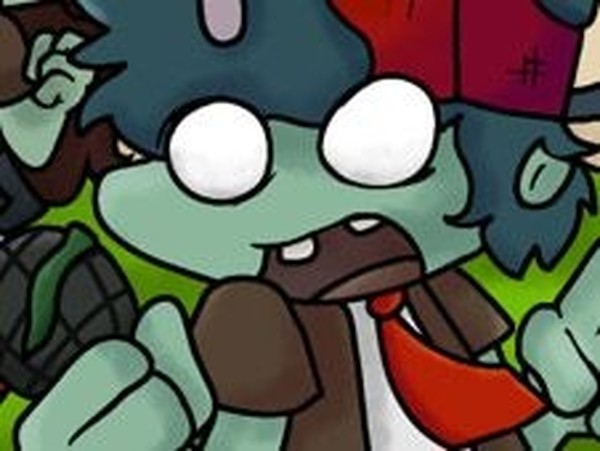
Plant Funkers Rhythm Match
Showtime

Plant Funkers Rhythm Match

Music Timing Casual
Developer: Faith Veil Digital
Published: 2025-09-25
Updated: 2026-07-05

Plant Funkers Rhythm Match offers a delightful blend of music and plant-themed characters. The gameplay is simple yet challenging, with two modes providing variety. Original tracks keep the experience fresh, and the family-friendly design makes it suitable for everyone. A solid choice for rhythm game fans.

Plays in your browser — no install.

About this game

Game Introduction

Plant Funkers Rhythm Match is a music game where players join plant-themed characters in musical challenges. The game draws inspiration from rhythm-based gameplay, focusing on timing and accuracy rather than violence or conflict. Players can experience original songs such as Whatery Infection Remaster and Rock and Roll Cover. The game offers two main modes: story mode for a narrative experience and free play mode for quick sessions. This blend of plant-themed fun and rhythm gameplay is designed for fans of music games and casual players alike. The content is family-friendly and safe for all ages, emphasizing coordination and musical enjoyment.

How to Play

To play, select either story mode or free play mode from the main menu. The objective is to complete each song by hitting the correct notes as they appear on screen. When floating arrow symbols appear above the character, press the matching arrow keys on your keyboard. Avoid missing too many notes or pressing the wrong keys in a row, as this will cause you to lose the round. Timing is key—stay focused and match the rhythm to win. The game is simple to learn but offers increasing challenge as you progress, providing a rewarding experience for players of all skill levels.

Game Features

Rhythm-based gameplay that tests your timing and coordination. Plant-themed characters add a fresh visual style. Two modes: story mode for a narrative journey and free play for quick sessions. Original music tracks keep the experience engaging. Family-friendly content ensures a safe environment for all players. The game may include various difficulty levels to accommodate different skill levels.

Tips for Success

Practice regularly to improve your timing and accuracy. Start with easier songs to build confidence before tackling more challenging tracks. Pay attention to the rhythm and try to anticipate the notes. Stay relaxed and avoid pressing keys too early or too late. If you struggle with a section, consider slowing down the tempo in practice mode if available. Most importantly, enjoy the music and have fun—it helps with staying in sync.


Compatibility

Play on Any Device | Chrome / Safari / Edge Recommended
FAQ
Can I play Plant Funkers Rhythm Match on mobile devices?
The game is primarily designed for keyboard input on computers. Some versions may support touch controls on tablets, but for the best experience, a keyboard is recommended.
Are there different difficulty levels in Plant Funkers Rhythm Match?
Yes, the game may offer multiple difficulty settings to accommodate players of different skill levels. Beginners can start on easier settings and gradually move to harder ones as they improve.
Is Plant Funkers Rhythm Match free to play?
The game is typically available for free online. Some versions may include optional in-game purchases for cosmetic items or additional songs, but the core experience is accessible without payment.
What kind of music is featured in Plant Funkers Rhythm Match?
The game includes original tracks such as Whatery Infection Remaster and Rock and Roll Cover. The music is upbeat and designed to match the rhythm gameplay, with a variety of styles to keep players engaged.
Do I need an internet connection to play Plant Funkers Rhythm Match?
An internet connection is required to access the game online. Once loaded, some versions may allow offline play, but for the full experience including updates and leaderboards, a connection is recommended.
Can I create my own songs or levels in Plant Funkers Rhythm Match?
The base game does not include a level editor. However, some community versions or mods may offer custom song support. Check the game's official site or community forums for more information.
Advertisement

Games You Might Enjoy