About this game
Game Introduction
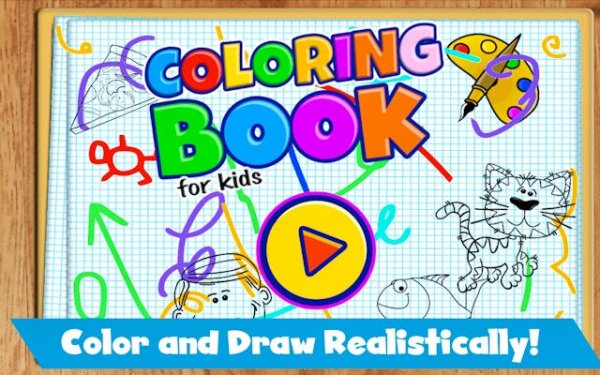
Kids Creative Coloring Studio is a digital coloring application designed to provide a safe and relaxing creative experience. The app transforms any compatible device into a personal art studio, offering a large collection of cute cartoon images. These images include friendly animals, charming characters, and appealing patterns suitable for users of all ages. The core objective is simple: select an image and fill the outlined areas with color to create a finished artwork. What makes this app unique is its commitment to a pure, uninterrupted experience. There are no advertisements, no in-app purchases, and no external links, ensuring that users can focus entirely on the creative process without distractions. This environment supports stress reduction and improved concentration, making it suitable for quiet time or family bonding. The app is designed to be accessible to everyone, from young children to adults, promoting creativity and fine motor skills in a straightforward and enjoyable way.
How to Play
Playing Kids Creative Coloring Studio is intuitive and requires no prior experience. To begin, users browse the gallery of available images and select one that appeals to them. Next, a color palette is displayed at the bottom of the screen, from which a color can be chosen. By tapping or dragging a finger within the outlined areas of the image, the selected color fills that section. Users can change colors at any time during the process. An eraser tool is available to correct any mistakes or to adjust the coloring. There are no rules, time limits, or scoring systems, allowing for a completely pressure-free experience. Once the artwork is complete, it can be saved directly to the device's gallery for sharing or personal keepsake.
Game Features
Features of Kids Creative Coloring Studio include a vast collection of cute and engaging images, an intuitive user interface that is easy to navigate, and a vibrant color palette that encourages creativity. The app is completely safe for children, with no advertisements, in-app purchases, or external links. It supports color recognition and fine motor skills development through the act of selecting colors and filling precise areas. The focus is on relaxation and creative expression, making it a valuable tool for stress relief. The simple design ensures that users of any age can start creating immediately without needing instructions.
Tips for Success
To get the most out of Kids Creative Coloring Studio, approach each image with a relaxed mindset. There is no right or wrong way to color, so experimenting with different color combinations can be rewarding. Taking breaks between images helps maintain focus and enjoyment. Sharing completed artwork with family or friends can add to the sense of accomplishment. Regular use can improve fine motor skills and color recognition over time.