About this game
Game Introduction
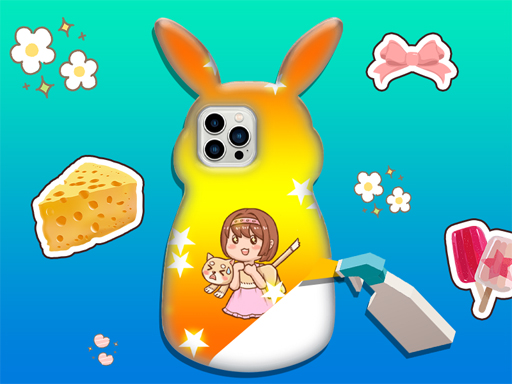
Phone Case Design Studio 5 is a family-friendly creative game where players design personalized phone cases. The game provides a 3D workspace that makes each design feel realistic and immersive. It encourages artistic expression by letting children explore patterns, stickers, and decorations to craft unique cases. This title is part of a popular series known for sparking imagination in young players. The core objective is to create visually appealing phone cases using a variety of design elements. What makes this game unique is its focus on creativity and personalization in a safe, ad-free environment. Players can experiment with different combinations of colors, shapes, and textures to produce one-of-a-kind designs. The game is designed to be intuitive and accessible, making it suitable for children of various ages. It promotes fine motor skills and color recognition through hands-on design activities. The 3D environment adds depth and realism, allowing players to see their creations from multiple angles. This feature enhances the sense of accomplishment when a design is completed. The game does not include any competitive elements, focusing instead on individual creativity and relaxation. It is an excellent tool for parents looking for a constructive and entertaining activity for their children. The series has been well-received for its ability to engage young minds in productive play.
How to Play
Players start by selecting a phone case base in a 3D environment. They then browse through a collection of patterns, stickers, and decorations. Using simple drag-and-drop controls, players place items onto the case. Elements can be resized, rotated, and moved to achieve the desired look. Layers of stickers and patterns can be combined for a unique design. Once satisfied, players save their creation to an album for later viewing or editing. The controls are designed to be intuitive, allowing even young children to create with ease. Players can experiment freely without any time limits or scoring pressures.
Game Features
The game includes a 3D design environment that adds depth to creations. It provides a library of patterns, stickers, and decorations. An album feature allows players to save and review their designs. Controls are simple and intuitive, suitable for young children. The game has no in-app purchases or third-party ads. Regular updates may introduce new content to keep the experience fresh. The 3D workspace enables players to view their designs from different perspectives, enhancing the realism of the creative process. The game is designed to be a safe space for children to explore their artistic abilities without distractions.
Tips for Success
Experiment with different combinations of patterns and stickers to discover unique styles. Use the rotate and resize tools to fine-tune the placement of each element. Save your designs frequently to build a portfolio of creations. Take inspiration from real phone case designs or your favorite colors. Practice layering stickers to create depth and interesting visual effects. Share your album with family for encouragement and new ideas.