Play
Digital Coloring Puzzle Game
Showtime

Digital Coloring Puzzle Game

Puzzle
Developer: Grass Veil Digital
Published: 2026-02-04
Updated: 2026-06-07

Adult Coloring Book Online Game delivers a straightforward and calming coloring experience. The eight images offer enough variety to keep the activity interesting, and the color palette provides good choices for each picture. The lack of a timer is a strong point, as it allows users to color at their own pace. The interface is clean and easy to navigate, making it suitable for children and adults. While the image selection is limited, the ability to save and share artwork adds value. It is a reliable option for a short, creative break or a longer session of mindful coloring.

Plays in your browser — no install.

About this game

Game Introduction

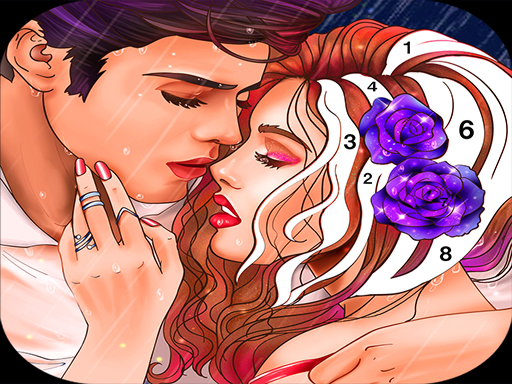
Digital Coloring Puzzle Game is a relaxing online activity that combines the joy of coloring with puzzle-like creativity. Designed for players of all ages, it offers a digital space to color various images without the mess of physical materials. The core objective is to select a picture and fill its sections with colors to create a finished artwork. This game stands out by providing a peaceful, screen-based creative experience that can be enjoyed during short breaks or longer sessions.

How to Play

To play, players typically start by choosing an image from a selection displayed on the main menu. Using a mouse or touch screen, they pick a color from a palette and then click or tap on any section of the picture to fill it with that color. There is no timer, allowing players to work at their own pace and experiment with different color combinations. Once the coloring is complete, players can save or share their finished artwork. The controls are simple and intuitive, making it easy for anyone to start coloring immediately.

Game Features

Digital Coloring Puzzle Game includes a variety of images to color, each with fun characters and scenes. The interface is designed to be easy to use with both mouse and touch inputs. Players can save and share their finished artwork. The game has no time limit, providing a stress-free coloring experience. It is suitable for all ages and requires no special skills or prior experience. The straightforward design makes it accessible to beginners and experienced colorists alike.

Tips for Success

To get the most out of Digital Coloring Puzzle Game, take your time and enjoy the process without rushing. Experiment with different color combinations to see what looks best. Start with simpler images if you are new to digital coloring, then move on to more detailed ones. Use the save feature to keep a copy of your favorite artworks. Sharing your creations with friends or family can add to the fun. Most importantly, relax and let your creativity flow.

Compatibility

This H5 game runs smoothly on:
• Desktop computers (Windows / Mac) • Mobile phones (iPhone / Android)
• Tablets (iPad / Android)
🌐 Best experienced with Chrome, Safari, or Edge
FAQ
Is this game suitable for children?
Yes, the game is designed to be safe and enjoyable for all ages, including children. The content is family-friendly, with no violence or inappropriate themes. The simple controls and relaxing pace make it a great activity for kids.
Do I need to download any software to play?
No, this is an online game that runs directly in your web browser. You do not need to download or install any additional software. Just open the game page and start coloring.
Can I play this game on my mobile device?
Yes, the game is designed to work with touch screens, so it can be played on smartphones and tablets as well as desktop computers. The interface adapts to different screen sizes for a smooth experience.
How many images are available to color?
The game includes a selection of images to color. While the exact number may vary, players can expect several distinct pictures featuring fun characters and scenes. New images may be added over time.
Is there a way to undo a color if I make a mistake?
Many digital coloring games include an undo feature, but it is best to check the game's specific controls. If available, you can usually reverse the last color fill by clicking an undo button or using a keyboard shortcut.
Can I print my finished coloring pages?
Yes, the game typically includes a print option that allows you to save a physical copy of your artwork. This can be a fun way to display your creations or share them with others offline.
Advertisement

Games You Might Enjoy