
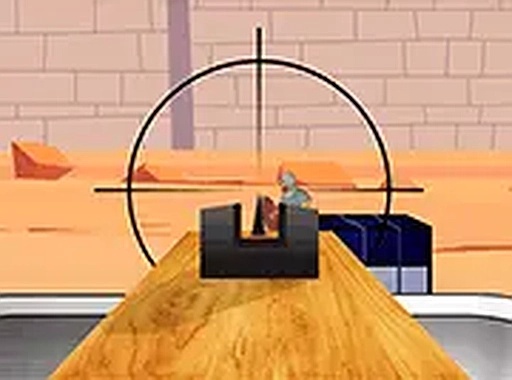
Colosseum Target Challenge
Runs in your browser — no download.
Reviews
Colosseum Target Challenge stands out for its deliberate pacing. Unlike many games that push players to act quickly, this one encourages a measured approach. Each level presents a fresh arrangement of targets, requiring careful aim and resource management. The Roman arena theme adds atmosphere without overwhelming the core gameplay. Controls are simple and responsive, working equally well on desktop and mobile. It is an excellent choice for anyone looking to improve their focus and hand-eye coordination in a relaxed setting.
Description
Arena Atmosphere
Colosseum Target Challenge places you inside a historically inspired arena setting. Stone walls and sand-covered grounds create an immersive backdrop that sets the tone for each session. The environment remains consistent across levels, allowing players to focus entirely on the targets that appear before them. This straightforward design choice keeps attention where it belongs—on the task of aiming and shooting.
Core Mechanics
Players control a crossbow-like device, adjusting their aim using mouse or touch inputs. Each level provides a fixed number of arrows, meaning every shot carries weight. Targets may appear stationary at first, but later rounds introduce movement and varied positioning. The challenge lies in predicting where a target will be and releasing the arrow at the right moment. Missing a shot reduces the margin for error in later attempts.
Progression Through Levels
As players advance, the arrangement of targets becomes more complex. Some levels feature obstacles that partially block sightlines, while others require quick adjustments as targets shift positions. The difficulty curve feels natural, gradually introducing new elements without overwhelming the player. Completing a level unlocks the next, providing a clear sense of accomplishment and motivation to continue improving.
Accessibility and Controls
No downloads or installations are required to play. The game runs directly in a web browser on both desktop and mobile devices. On a computer, players use the mouse to aim and click to shoot. On a touchscreen, tapping and dragging achieves the same result. A full-screen mode is available for those who prefer a more focused experience. Controls remain responsive, ensuring that missed shots result from player error rather than technical issues.
Skill Development
Regular play helps sharpen hand-eye coordination and patience. Because each level limits the number of arrows, players learn to evaluate each shot carefully rather than rushing. Over time, recognizing target patterns becomes easier, leading to higher accuracy rates. The game rewards steady improvement rather than natural talent, making it suitable for anyone willing to practice.






03 Comments
Sign in to comment
You must be logged in before posting a review or rating.
No account? Create one
No comments yet. Be the first to comment!