

Skyline Drift 3D Arcade Racer
Runs in your browser — no download.
Reviews
Skyline Drift 3D Arcade Racer narrows its scope to one celebrated car and two connected activities: tuning and drifting. The garage system for suspension, tires, and engine gives players meaningful setup decisions, while Drift Challenge mode ties scoring to style and speed rather than raw lap times. The result suits players who like iterative improvement, though anyone expecting a large roster of vehicles or a broad racing campaign may find the single-car focus limiting.
Description
Car Tuning and Setup
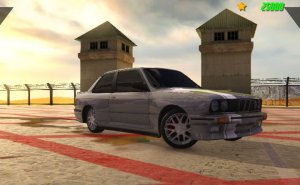
The tuning garage is the foundation of Skyline Drift 3D Arcade Racer. Before heading to a track, players adjust suspension, tires, and engine settings to shape how the Skyline GT-R R34 handles. These choices are not cosmetic: a setup that works for one track or drift line may feel wrong on another, so experimentation is part of the process. Because the game emphasizes strategic tuning alongside driving skill, time spent in the garage directly affects how the car responds in corners. [IMG_1]
Drift Challenge Mode
Drift Challenge mode is the game's dedicated test of car control. It scores runs based on style and speed, meaning a clean, well-angled drift can be worth more than a fast but messy one. Unique obstacles within the mode add another layer, forcing players to plan entry points and throttle application rather than simply holding a slide. Finding the right balance between aggressive steering and smooth throttle input is the central challenge here, and the mode rewards repeated attempts with visible score improvements.
Racing and Progression
Outside of Drift Challenge, players can choose standard races to practice cornering and throttle control. Completing challenges unlocks new customization options and tracks, giving each session a forward pull. The progression loop is straightforward: earn access to new parts or circuits, revisit the tuning garage to adapt the car, then apply those changes on track. This cycle keeps the focus on skill development rather than grinding, and it suits both short sessions and longer play.
Controls and Accessibility
Steering, accelerating, and braking are handled through on-screen controls or keyboard inputs, designed to be intuitive enough that new players can focus on driving rather than memorizing complex commands. The learning curve comes from mastering drift balance, not from fighting the interface. Realistic 3D graphics support the sense of speed and weight transfer, and the absence of violent or inappropriate content makes the game suitable for a wide age range.
Compatibility
FAQ
Comments
Sign in to comment
You must be logged in before posting a review or rating.
No comments yet. Be the first to comment!






Editorial Notes