

Auto Craft Studio: Vehicle Customization
Runs in your browser — no download.
Reviews
Auto Craft Studio offers a satisfying creative outlet for anyone who enjoys designing cars. The color palette is extensive, and the ability to place decals freely adds a personal touch. Swapping parts like hoods and rims gives each build a distinct identity. The virtual drive mode is a nice reward, letting you see your work in motion. It is a well-designed, family-friendly experience that respects your time and imagination.
Description
Getting Started with Your Design
When you first open Auto Craft Studio, you pick a base car model from the available selection. The interface is straightforward, using simple mouse clicks to navigate through options. This makes it easy for anyone to begin crafting their ideal vehicle without needing prior experience. The game focuses on letting your creativity flow from the very first moment.
Color Selection and Finish Options
A wide palette of colors is available for the body, wheels, and interior. You can choose from various finishes to give your car a distinct look. The color system is designed to be intuitive, allowing you to preview changes instantly. Whether you prefer bold, bright shades or subtle, understated tones, the options support a broad range of personal expression.
Decals and Personal Touches
Adding personality to your vehicle is a key part of the experience. A library of decals lets you place stickers anywhere on the car's surface. You can position them to create patterns, highlight certain areas, or simply add a favorite design. This layer of customization helps make each car feel unique to its creator.
Part Swapping and Upgrades
Beyond colors and decals, you can change functional and cosmetic parts. Options include different hoods, bumpers, spoilers, exhaust tips, and rims. Each part can be selected independently, giving you control over the overall silhouette and style. Mixing and matching these components allows for endless variations, from sleek and modern to rugged and sporty.
Custom License Plate Creation
A special feature is the ability to design your own license plate. Using letters and numbers, you can create a plate that adds a final personal touch. This small detail can reflect a name, a favorite number, or a short message, making the vehicle feel truly yours. It is a simple but satisfying way to complete the design process.
Virtual Drive and Environment Exploration
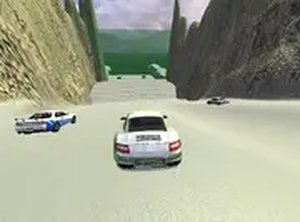
Once your design is complete, you can take the car for a virtual drive. The game includes different environments, such as a city street and a scenic highway, where you can see your creation in motion. This mode lets you view the car from multiple angles and appreciate how your choices look in a realistic setting. It is a rewarding way to conclude the creative process.






03 Comments
Sign in to comment
You must be logged in before posting a review or rating.
No account? Create one
No comments yet. Be the first to comment!