
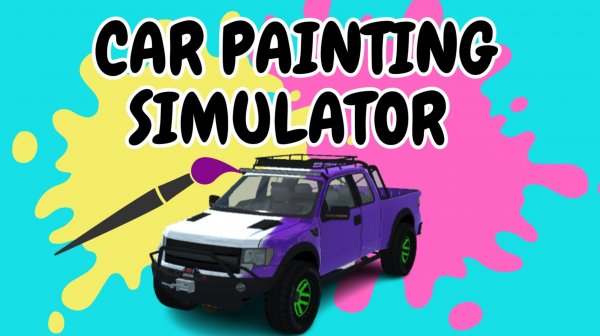
Creative Car Studio: Paint and Cruise
Runs in your browser — no download.
Reviews
Creative Car Studio stands out by making vehicle customization accessible and rewarding. The painting tools are straightforward, and the sticker system offers enough variety for unique designs. The driving mode is simple but satisfying, providing a nice payoff for your creative work. It runs smoothly in a browser without any barriers, making it a great choice for quick creative sessions or longer play.
Description
Personalization Workshop
Players begin with a standard vehicle and a full set of painting tools. The interface allows you to rotate the camera around the car, select paint colors, and adjust brush size for precise application. A library of decorative stickers can be rotated and placed anywhere on the body. This phase encourages experimentation with color schemes and patterns, letting each player produce a unique look.
From Canvas to Road
Once the design is complete, a simple switch activates the driving mode. The customized car appears in a 3D environment where you control movement using standard keyboard keys. You can change the camera perspective and activate a speed boost for extra momentum. The transition from design to driving is seamless, reinforcing the connection between creativity and function.
Controls Built for Comfort
Both painting and driving use intuitive inputs that require no prior experience. Clicking applies paint, while dragging places stickers. In driving mode, arrow keys or WASD control direction, and a dedicated button triggers the boost. The learning curve is gentle, making it easy for newcomers to start creating and exploring immediately.
Accessibility and Performance
The entire experience runs in a web browser without any installation or account creation. This ensures compatibility across desktops, laptops, and tablets. The graphics are optimized for smooth performance even on older devices, and the loading time is minimal. Players can jump in and out of sessions quickly, making it suitable for short breaks or extended play.
Creative Expression for Everyone
This activity emphasizes personal style over competition. There are no timers, scores, or restrictions on how you decorate the vehicle. The open-ended nature allows children and adults alike to explore color theory, symmetry, and design principles in a low-pressure setting. The driving mode serves as a satisfying reward rather than a challenge, reinforcing the joy of seeing your own artwork move.






03 Comments
Sign in to comment
You must be logged in before posting a review or rating.
No account? Create one
No comments yet. Be the first to comment!