
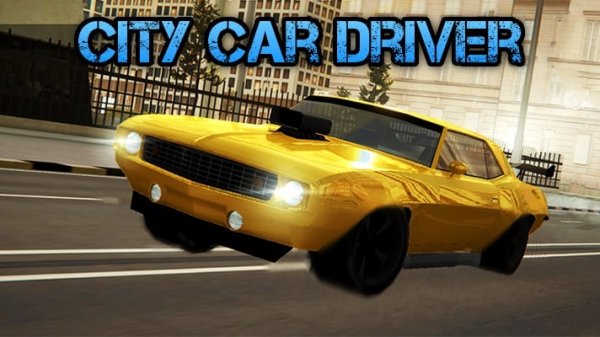
City Cruise Driving Experience
Runs in your browser — no download.
Reviews
City Cruise Driving Experience delivers a solid open-world driving simulation that balances freedom with structured challenges. The five driving modes offer enough variety to keep sessions fresh, whether you are exploring the city or testing your evasion skills. Vehicle customization adds a personal touch, and the browser-based accessibility means no waiting for downloads. The controls feel responsive, and the automatic save feature is a welcome convenience. While the single vehicle may limit long-term variety, the core driving experience is engaging and well-executed.
Description
Open World City Navigation
City Cruise Driving Experience places you behind the wheel of a car in a detailed, realistic urban setting. The city is yours to explore at your own pace, with traffic patterns, intersections, and landmarks that create an authentic driving atmosphere. Whether you prefer a leisurely cruise or a more structured driving task, the environment responds dynamically to your choices.
Driving Modes for Every Style
The game includes several distinct ways to play. Free Roam mode lets you drive without objectives, perfect for learning the city layout. Trailblazer mode guides you along specific routes, testing your ability to follow directions. For those who enjoy high-stakes driving, Pursuit mode puts you in the role of a law enforcement driver, while Getaway mode challenges you to evade pursuit. Survival mode adds an endurance element, pushing your vehicle control to the limit.
Vehicle Personalization Options
Your car can be customized to reflect your personal taste. Change the paint color, swap out wheels, and adjust other visual parts to create a unique look. These modifications are purely cosmetic, allowing you to express yourself without affecting performance. The customization menu is straightforward, making it easy to experiment with different combinations.
Accessible Controls and Visual Feedback
Controls are designed to be intuitive for players of all skill levels. Standard keyboard inputs handle acceleration, braking, and steering, while a handbrake option allows for sharper maneuvers. Multiple camera angles provide different perspectives, from a close chase view to a wider overhead angle. The game runs directly in a web browser, requiring no downloads, so you can start driving within seconds.
Building Driving Proficiency
Mastering the game involves learning how each mode demands different driving techniques. Free Roam is ideal for practicing cornering and braking without pressure. In Pursuit and Getaway modes, using boost at the right moment can make the difference between success and failure. Experimenting with camera angles helps improve situational awareness, especially in tight traffic situations.








03 Comments
Sign in to comment
You must be logged in before posting a review or rating.
No account? Create one
No comments yet. Be the first to comment!