

Road Tune Driving
Runs in your browser — no download.
Reviews
Road Tune Driving succeeds by keeping its core loop simple and satisfying. The courses are varied enough to stay interesting, and the upgrade system gives you clear goals to work toward. The gradual difficulty curve means you never feel stuck, and the automatic saving makes it easy to play in short bursts. The visual style is clean and pleasant, and the lack of required registration lowers the barrier to entry. For a casual driving game focused on progression, it delivers a solid experience that respects your time.
Description
Core Driving Loop
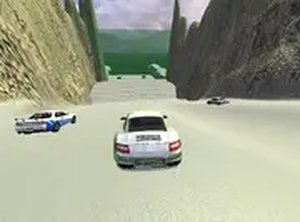
Road Tune Driving centers on a straightforward cycle: steer your car through each course, gather coins scattered along the route, and use those coins to buy performance upgrades. The courses feature ramps that launch your vehicle, sharp bends that test your turning ability, and speed zones that boost your momentum. Each new course introduces a different layout, so you must adapt your driving style to the changing terrain. The coin collection system rewards careful navigation rather than reckless speed, encouraging players to explore each path thoroughly.
Upgrade Paths
The upgrade system focuses on three main components: engine power, tire grip, and body weight. Investing in the engine increases top speed and acceleration, making it easier to cover long straight sections quickly. Tire upgrades improve handling, allowing you to take corners more smoothly without losing control. Body enhancements affect durability and stability, helping your car stay balanced when hitting ramps or crossing rough patches. You can mix and match these upgrades to suit your preferred driving approach, whether you favor raw speed or precise cornering.
Course Variety
Each course in Road Tune Driving presents a unique set of challenges. Some tracks feature long straightaways where high speed is key, while others are packed with tight hairpin turns that require careful braking and steering. Ramps appear at strategic points, launching your car into the air and requiring you to land smoothly to maintain momentum. Speed zones are placed on certain sections, giving you a temporary boost that can help you reach distant coin clusters or clear difficult obstacles. The variety keeps each run feeling fresh and encourages repeated play to master each layout.
Progression Without Pressure
Road Tune Driving is designed for relaxed play sessions. The difficulty increases gradually, so new players can learn the basics without feeling overwhelmed. Your progress is saved automatically, meaning you can stop and resume later without losing your upgrades or unlocked courses. No account creation is needed, and the game runs entirely in your browser with no downloads required. This makes it easy to pick up for a few minutes or settle in for a longer session, depending on your schedule.
Visual and Audio Atmosphere
The visual style of Road Tune Driving is clean and colorful, with each course featuring distinct environments that change as you advance. The interface is simple and unobtrusive, keeping your focus on the road ahead. Sound effects provide clear feedback for coin collection, upgrade purchases, and course completion, while the background music maintains a steady, upbeat tempo that matches the driving pace. The overall presentation is designed to be pleasant and non-distracting, suitable for players of all ages.
Tips for Getting the Most Out of Each Run
To make the most of your time in Road Tune Driving, focus on collecting as many coins as possible in the early courses to build a solid upgrade fund. Prioritize engine and tire upgrades first, as they provide the most noticeable improvements in speed and control. Take time to learn each course's layout, noting where ramps and tight turns are located. Use speed boosts on straight sections to maximize their effect. Experiment with different upgrade combinations to find a setup that matches your driving style, and practice regularly to improve your reflexes and track knowledge.









03 Comments
Sign in to comment
You must be logged in before posting a review or rating.
No account? Create one
No comments yet. Be the first to comment!