About this game
Game Introduction
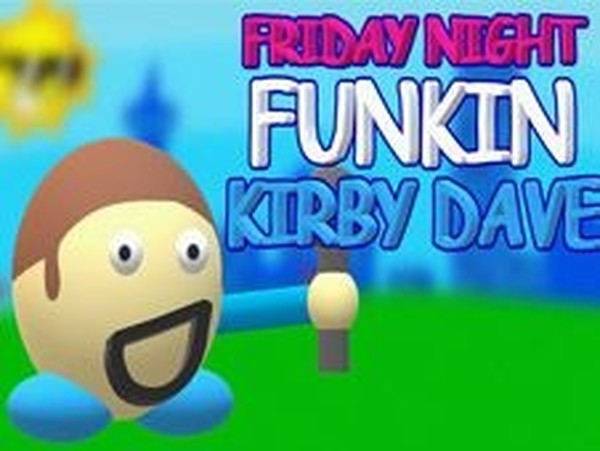
Kirby Dave Music Match is a music-based timing challenge that draws inspiration from popular rhythm game series. In this game, players take on the role of BF as he faces off against Kirby Dave in a musical duel. The core objective is simple: press the correct arrow keys when symbols appear above BF's head. Each correct press keeps the song going, while missing too many notes ends the game. The game features catchy music and colorful characters, making it accessible for players of all ages who enjoy music and timing challenges. The unique aspect of this game is the combination of a friendly character face-off with a rhythm-based gameplay loop. It is designed to be engaging without being overwhelming, offering a lighthearted experience that focuses on coordination and musical timing. The game is free to play online and requires no downloads, making it easy to start playing immediately.
How to Play
To play Kirby Dave Music Match, use the arrow keys on your keyboard. When the song starts, watch for arrow symbols that appear above BF's head. Press the matching arrow key as soon as you see it—for example, press the left arrow key when a left arrow appears. Keep hitting notes correctly until the song ends. If you miss several notes in a row, you lose and must restart the song. Practice to improve your score and beat Kirby Dave. The controls are simple and intuitive, allowing players of any skill level to pick up and play.
Game Features
Kirby Dave Music Match includes fun rhythm gameplay with catchy music. It features colorful and friendly characters. The controls are simple, using only arrow keys. The game is safe for all ages and free to play online without any downloads. It is designed for quick breaks or short play sessions and helps improve hand-eye coordination and rhythm. The music and visuals are engaging without being overwhelming, making it a pleasant experience for casual players.
Tips for Success
Focus on the rhythm of the music to anticipate when arrows will appear. Practice regularly to improve your timing and reaction speed. Start with easier songs if available to build confidence before tackling harder challenges. Try to stay relaxed and avoid tensing up, as this can slow your reactions. Pay attention to the pattern of arrows and try to memorize sequences to press keys more quickly.